Stream Deck
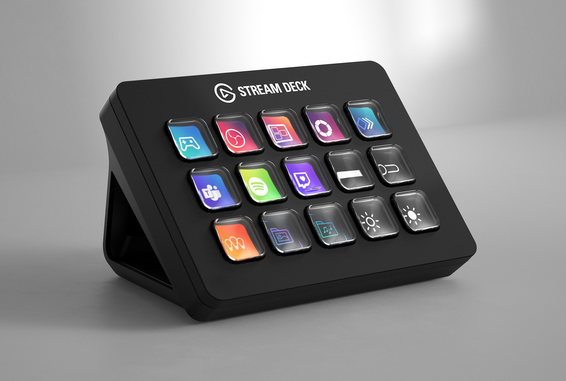
I recently got a 15 key stream deck and I absolutely love this thing. The Stream Deck is made by a company called El Gato (the funny thing to me is that is Spanish for “the cat”). They make several versions of it, there is a 6, 15, and 32 key along with some stuff for studios. So what is this thing exactly? It is a bunch of buttons that sits at your desk and lets you create shortcuts to navigate your computer or streaming set up. One thing that I have learned from busking and using consoles is if you are going to be repeating a bunch of actions (like aiming moving head lights to the stage) you are better off creating a macro for it so it is completed in one press. The same goes for everyday computer actions. I want to take you around my stream deck and show how it’s set up.
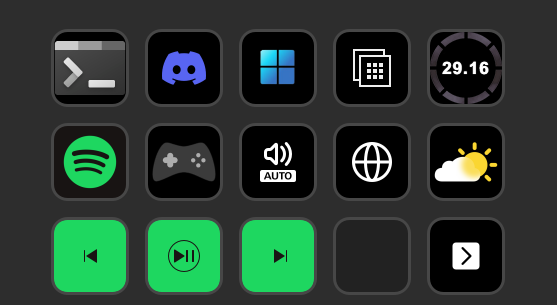
This is the home screen, starting at the top left is my terminal commands, Discord tools, Windows tools, applications that I use, a count down to the offcial day “Breach” comes out. (I had an extra tile and wanted it to look nice), Spotify controls, a spot to launch games, Windows sound controls, websites I visit, weather, Spotify control (quick access), and then a button to go to the next page which is blank.
Terminal #
In this folder I have a bunch of commands that make using the terminal easy. When you first open the page you see this:
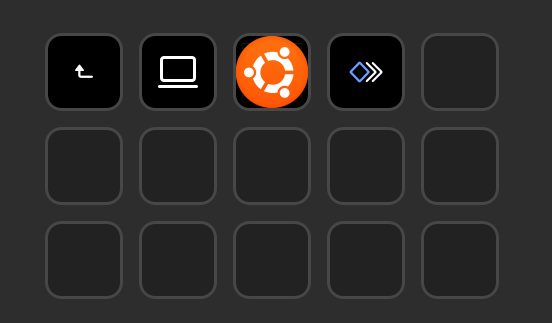
Here I can choose what I need, blog tools, Ubuntu’s terminal (also known as Windows Sub Linux) or access my ThinkPad X61 that I use to home lab some stuff (ok you caught me, it’s a NAS). I do not have a picture for it yet.
When you press the computer button (blog tools) it brings you here:
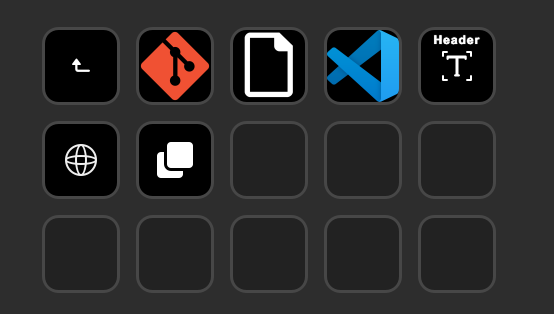
Here I can get into my git a system that I use to upload and save these posts, create a new post in Hugo what this site runs on, open VS code, re-write my header, start a local server to preview the blog and on the last key copy all content from Obsidian the program that I use to write the blog materials.
Discord #
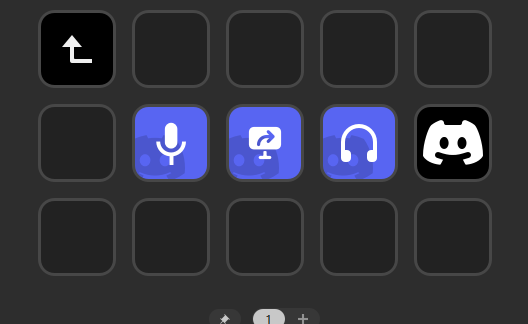
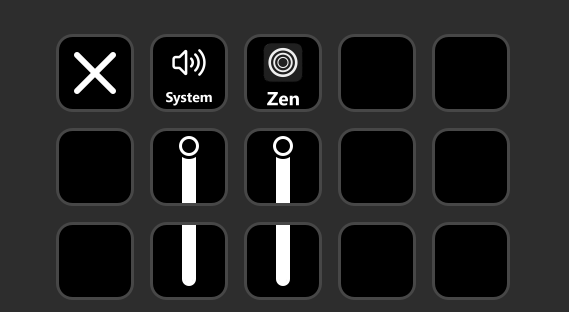
Pretty simple, I can mute, share screen and deafen my Discord. The button on the far right is a volume mixer. When I am in a call I can adjust the volume of those in the call without having to go back to Discord’s client.
Windows #
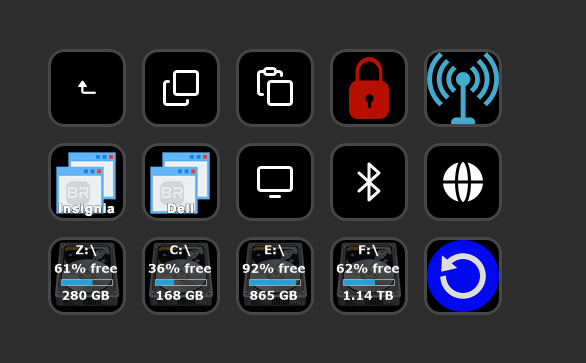
The arrow that you may have seen in the top left is a return arrow. That takes me back to the home page. From there is copy and paste, lock the computer (when I press that button it starts a screen saver. It is set to a bubble animation by Youtuber Chipflake), turn Bluetooth on and off, move things between screens, switch were the audio is going (when playing), that goes to Bluetooth and the monitor speakers. The web icon is a command for ctrl+shift+c, when I do that in my web browser it will copy the website URL. Drive stats (NAS, C, extra storage, on board backup drive) and a button to restart the computer.
Applications #
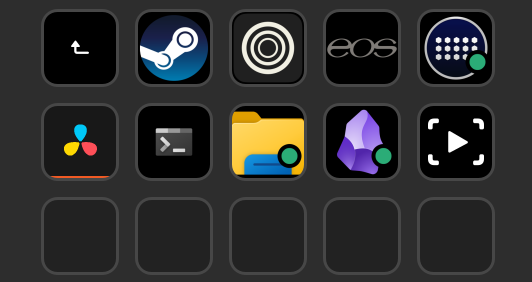
Here we got some essential apps. Steam, Zen (web browser) ETC EOS, Stream Deck, DaVinci Resolve (video editor), terminal again this time it won’t launch WSL, File Explorer, Obsidian and OBS.
Spotify #
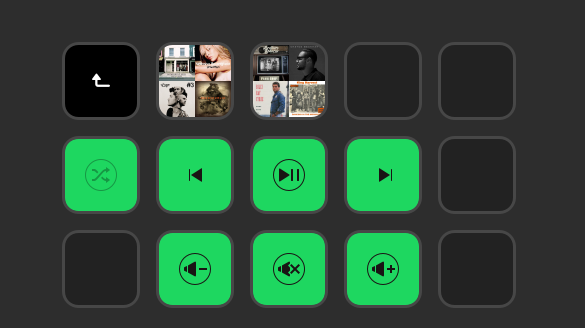
Top two tiles (next to the return arrow) are playlists I am listening to. A 2010-2024 playlist and a country playlist. Under that is music controls, and volume controls.
Games #
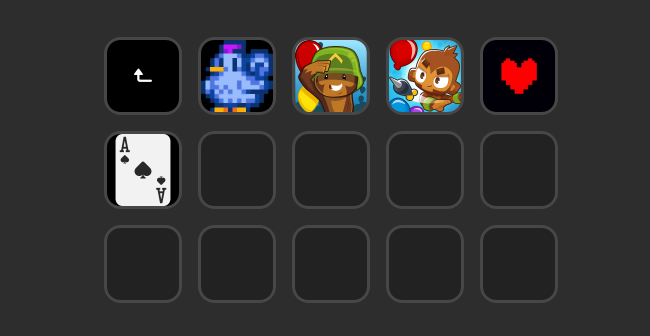
Here are some games that I play. Getting these set up were easy, they are “websites” that link to steam. When creating a shortcut on Stream Deck you use a website button with game’s id. Each game has an id number, the button actually opens up steam://rungameid/#### in Zen that is then configured to open steam automatically. I also play Bloons TD 5 and 6, Undertale and Nerts along side Stardew Valley.
Mixer #
Websites #
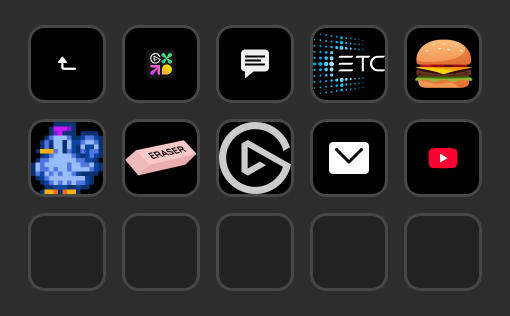
There are so many tools and apps that are created for this thing. I am using a lot of tools from a developer called Bar Raider, who has done some really cool work. They created the windows tools, Spotify tools, and a lot more. This thing gives you a ton of flexibility for workloads. It is super useful when doing blog things (which I will talk about in a later post).
If you are looking for a stream deck I recommend getting the 15 key model. The 6 key is to small and the 32 key is a lot. They do have a lot more versions, including the Stream Deck + (with 4 encoders on the bottom), the Neo that is 8 key and has a mini display, it is a massive family.
I originally got this thing to work with ETC EOS, you can do some cool stuff with it. I have not gotten that set up yet though and I am hoping to do so soon. When that happens I will be sure to talk about that in a later post.
This thing is super nice and (again) I love it and highly recommend it. If you were thinking about getting one I hope this helped with the decision.
I am not paid by El Gato for this. I simply thought cool device let’s see what it’s about and here we are. I also do not have any affiliate links.